My first AWS certificate
Table of Contents
My first AWS certificate
How I passed the AWS AI Practitioner exam with a score of 793, the cost math that led me to take it first, and how I prepared in 4 weeks starting from zero cloud experience. Plus a few tips on exam day that I wish I knew beforehand.
Finally, I got myself an AWS certification to decorate my resume. Yesterday (Friday), I sat for my first ever AWS exam. I was feeling quite nervous leading up to it, though not necessarily because of the content. I was mostly worried about the technical side of things, like potential network issues or system glitches during the session. Luckily, everything went smoothly, and I was relieved to get my results back just six hours later the same day.
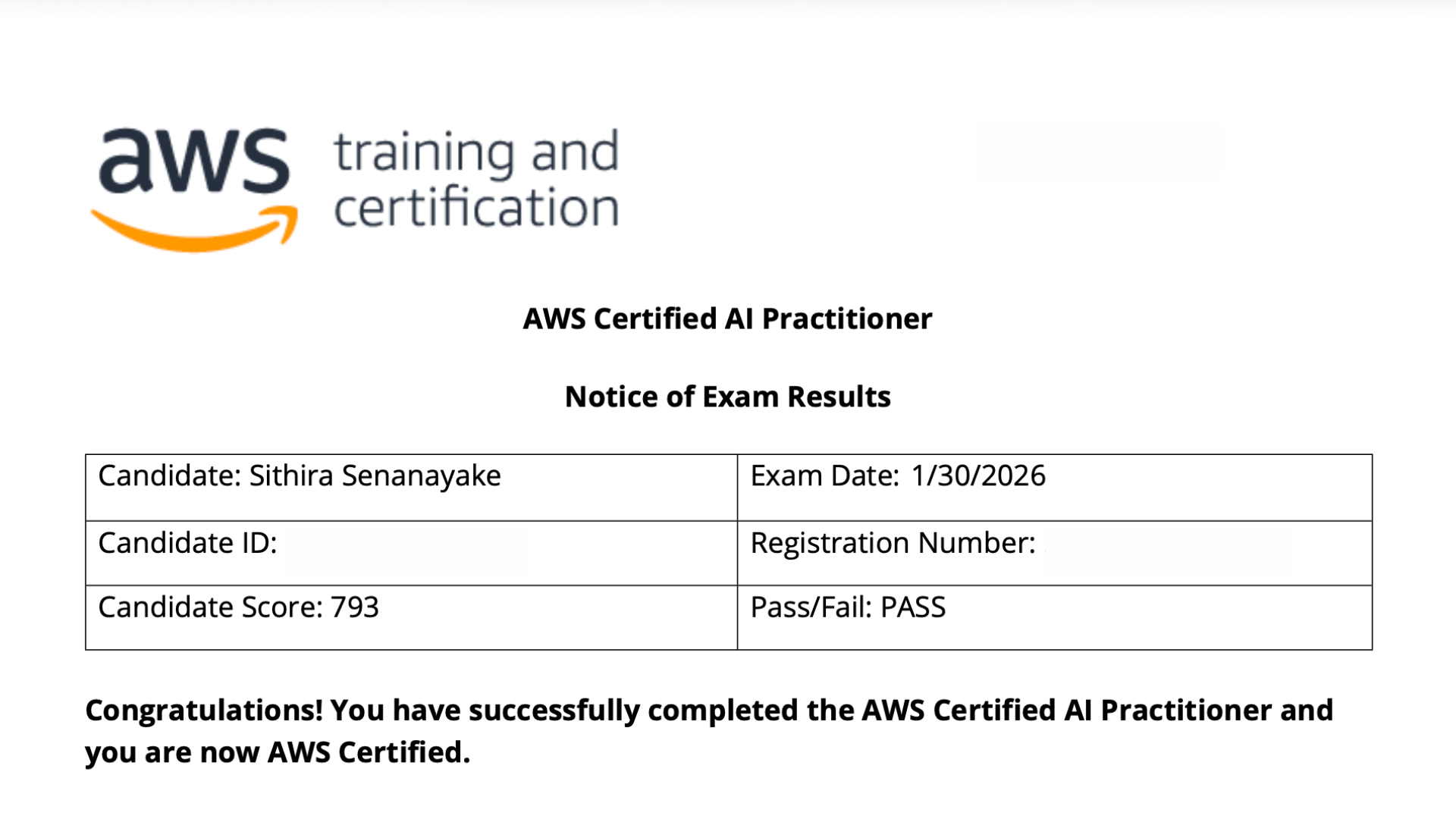
I passed the AWS AI Practitioner exam with a score of 793. I'm a little disappointed I didn't hit the 850 I was aiming for, but I'm still really happy to have my first certification officially under my belt.
Why I Did This
I always wanted to do an AWS certification, but never could find the time to study for it. Since I had more time now, I decided to equip myself with an AWS certification. Hopefully it would help me find a better job, which I'm working towards these days. Either way, it can't do any harm to the resume, right? So I gave it a shot. I wanted to do the AWS Solutions Architect exam because it's one of the most reputed certifications in the industry.
But as you might know, I'm pretty new to cloud technologies. Even though I have about 4 years of experience as a Software Engineer, my AWS exposure was basically 0. And the AWS SAA exam is not very easy, especially for someone who doesn't have any AWS experience whatsoever. So I considered doing a practitioner exam first, if the cost allowed for it. I had two choices: AWS Cloud Practitioner or AWS AI Practitioner. I chose the AI Practitioner, simply because it gives me that "AI" keyword on my resume. Then, I started calculating how much it would cost me.
The cost of AWS certifications
There was a 25% discount + 1 free retake offer on all AWS certification exams for anyone who took the exam before 6th February 2026. (If you're planning your first AWS certification, keep an eye out for this, they announce it every 2, 3 months.)
On top of that, AWS gives you a 50% voucher for a future certification when you pass one.
I spotted both of these offers in early January and started doing the math. I laid out 3 options:
Option 1 - Only do the AWS SAA exam
I would just take the SAA with the 25% discount and call it a day.
| Exam | Original Price | Discount | Cost |
|---|---|---|---|
| AWS SAA | $150 | 25% off | $112.50 |
| Total | $112.50 |
Option 2 - AWS SAA first, then AWS AI Practitioner
I would take the harder exam first with the free retake cushion, and then use the 50% voucher on the easier one. This option give me the free retake where it matters most.
| Exam | Original Price | Discount | Cost |
|---|---|---|---|
| AWS SAA | $150 | 25% off | $112.50 |
| AWS AI Practitioner | $100 | 50% off (voucher from passing SAA) | $50.00 |
| Total | $162.50 |
Option 3 - AWS AI Practitioner first, then AWS SAA
I would start with the easier exam, earn the 50% voucher, then hit the SAA at half price. Here I can walk in to the harder SAA exam, with some exam experience under mainly belt.
| Exam | Original Price | Discount | Cost |
|---|---|---|---|
| AWS AI Practitioner | $100 | 25% off | $75.00 |
| AWS SAA | $150 | 50% off (voucher from passing AI Practitioner) | $75.00 |
| Total | $150.00 |
I ignored the Option 1 because I kind of wanted the extra certificate. Option 3 was clearly the cheapest. I did consider Option 2 for a moment, even though it cost $12.50 more, simply because I'd have the free retake on the harder SAA exam. But in the end, I went with Option 3 anyway.
How I prepared for the exam
The first thing I did was schedule the exam. Otherwise I might procrastinate again. I made the payment on January 4th and scheduled the exam for January 30th, giving myself a full 4 weeks to prepare, which is plenty for a practitioner exam. I promised myself I wouldn't reschedule it no matter what.
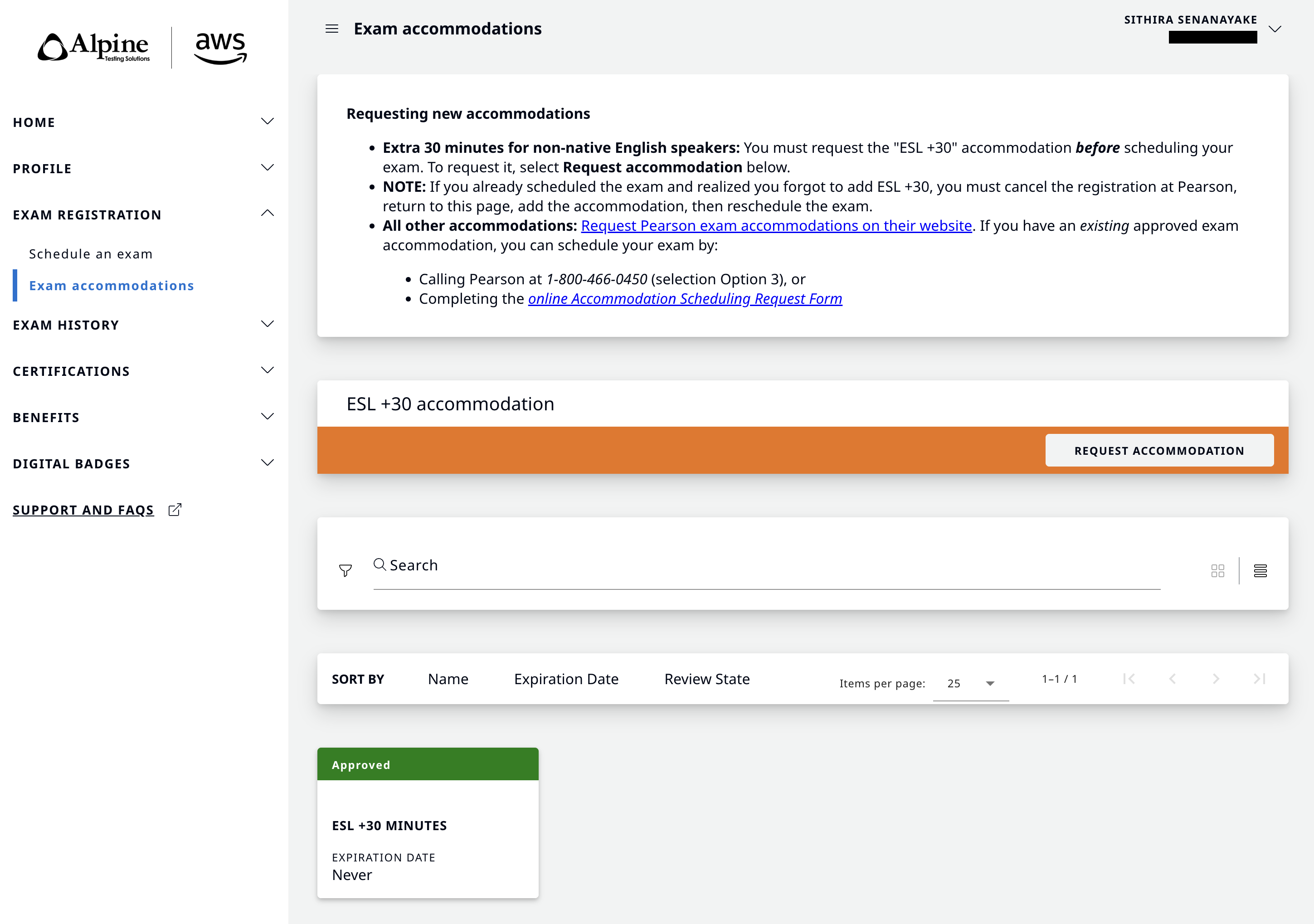
Quick Tip: AWS offers an extra 30 minutes for non-native English speakers. You must request this accommodation before scheduling your exam by going to "Exam Registration" > "Exam Accommodations". If you've already scheduled the exam, you'll need to cancel the registration, add the accommodation, and then reschedule.
To prepare, I spent about two weeks going through the Ultimate AWS Certified AI Practitioner AIF-C01 course on Udemy by Stephane Maarek. I found it really useful for getting a handle on the core concepts. It's mainly focused on passing the exam, so if you want to dig deep and do hands on projects, this course might not be the right fit. While going through the videos, I took notes on each topic and subtopic, noting down the important points. I then fine-tuned and completed those notes using Claude. Doing that really helped me retain what I'd just learned. On top of that, for the more important AWS services, I did some hands-on testing using an AWS free tier account as well.
For the final two weeks, I focused entirely on practice exams through Tutorials Dojo. It's a fantastic resource and probably the best place to practice. There were so many practice exam sets that I couldn't even get through 60% of them. My only minor gripe was occasionally seeing repeat questions from previous sets, but that's a small complaint overall. I scored consistently between 75% and 90% across the five or six practice exams I completed, which gave me the confidence to go ahead with the actual exam.
Exam day
On the day of the exam, my biggest fear was a random power cut, which is pretty common in Sri Lanka. Even though I scheduled the exam on a day with no planned maintenance, you never really know here.
When I actually took the exam, I noticed the questions were much shorter than the ones I'd practiced with, which allowed me to finish with 40 minutes to spare.
Almost all of the questions were scenario based. They're straightforward, but not simple. You have to understand the scenario to figure out which service is the right fit. Sometimes they ask for the most cost effective solution, other times ask for the one with the least operational overhead.
For example, both Amazon SageMaker and Amazon Bedrock can be used to deploy generative AI applications. But Amazon Bedrock offers foundation models out of the box, making it the ideal choice for minimizing operational overhead. Amazon SageMaker, on the other hand, gives you full control over the underlying infrastructure, making it more cost effective for massive scale workloads where.
As soon as I finished the exam, a screen appeared showing whether I passed or not, so there were no nervous hours spent wondering. (That's only for practitioner exams though.) Though I still had to wait for the official score, which came through on email about 5–6 hours later.
Funny enough, 20 minutes after the exam there was a power cut that lasted about an hour. So I guess I was lucky.
What's Next
With the AI Practitioner done, I used my 50% voucher and registered for the AWS Solutions Architect Associate exam, the one I actually set out to do from the beginning. If you're curious about how that went, I wrote about it here.